Preparing a GST return

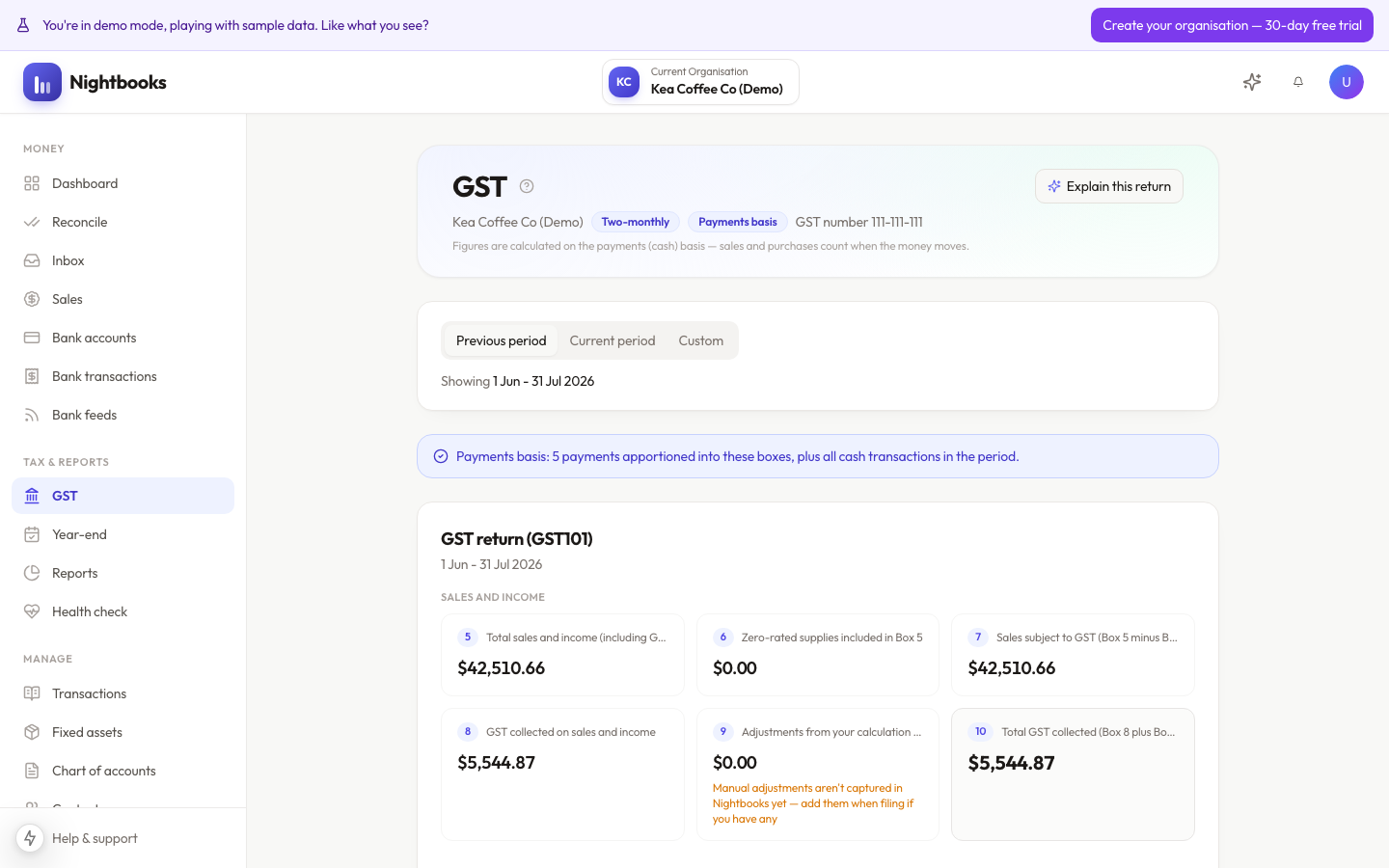
The GST page assembles your return for any period, box by box, exactly as it maps to the IRD GST101 form — so what you see in Nightbooks is what you type into myIR.
The workflow
Pick the period — Nightbooks knows your filing frequency and suggests the current one.
Reconcile first — unreconciled bank lines mean the return may be missing GST, and the page warns you when the queue is not clear.
Review the boxes — sales and income, zero-rated supplies, purchases and expenses, and the resulting GST to pay or refund.
Drill down — click any box to see the exact transactions behind the number. Every figure is traceable to source.
Save for review — snapshot the return when it looks right, then file it in myIR and mark it filed here. See Filing GST and locking periods.
The reconciliation check
Nightbooks cross-checks the return against your GST account movement over the period. When they agree you get a green tick; when they differ, the page shows the gap and excludes direct postings (like IRD payments) from the comparison so the true difference is visible. A mismatch is worth understanding before filing — the drill-downs usually reveal it in a minute or two.
Ask the AI accountant to explain the return — it walks through what changed against last period and why, using your actual transactions.