Emailing and uploading bills to the Inbox

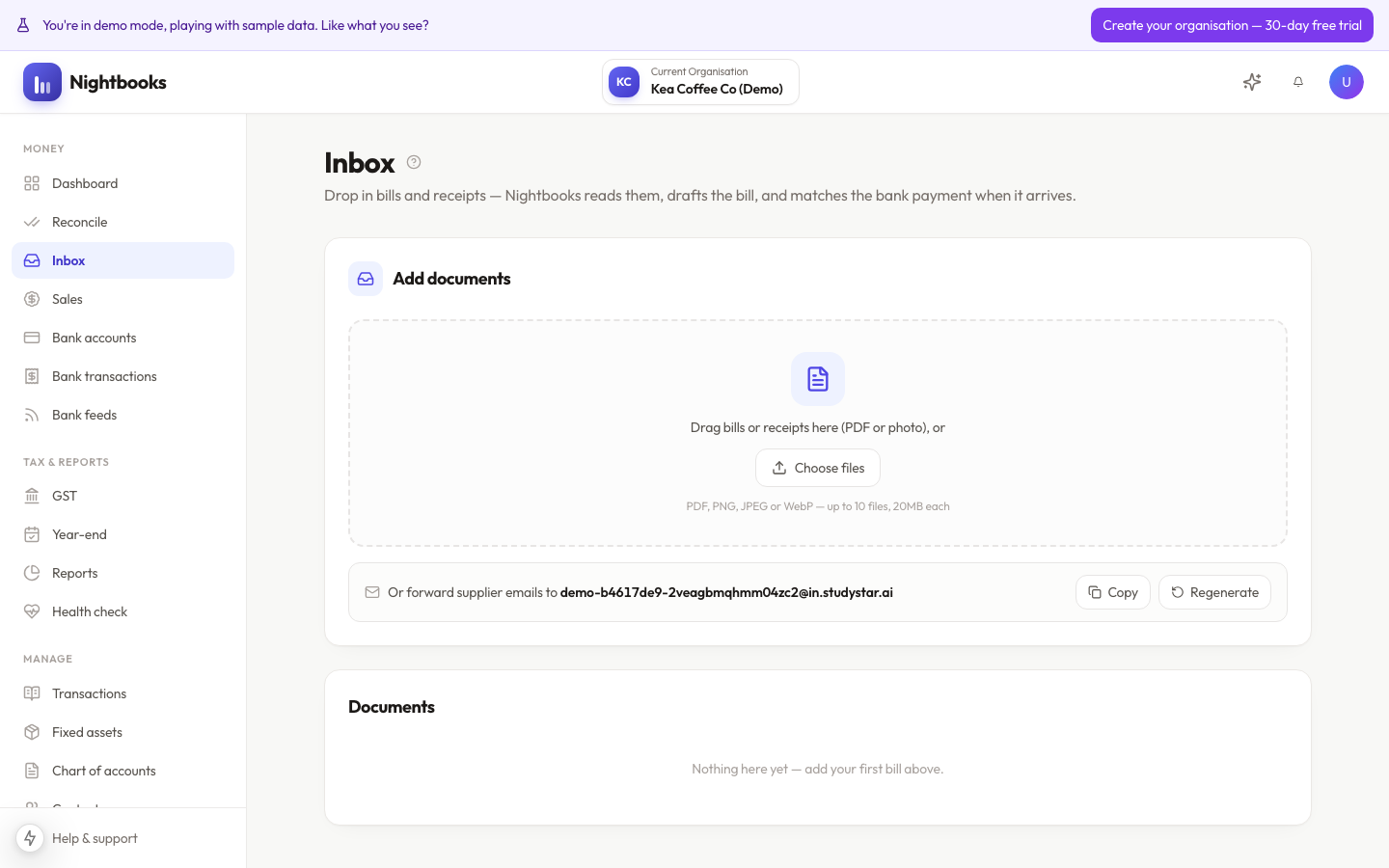
The Inbox is where supplier paperwork enters your books. Feed it PDFs and photos and the AI turns them into draft bills — no typing amounts into forms.
Two ways in
Upload — drag files onto the Inbox page: PDFs, photos, scans. Multi-page documents are handled as one bill.
Email — forward supplier emails to your organisation’s unique inbox address (shown on the Inbox page); attachments are picked up automatically.
The email address trick
The forwarding address is the workflow that sticks: set up a rule in your email client that forwards supplier invoices automatically, or just forward them as they arrive. Suppliers can even be given the address directly so bills skip your inbox entirely.
What happens next
Each document is read by the AI, which extracts the supplier, date, reference, line amounts and GST into a draft bill alongside the original document for comparison. You review and approve — see Reviewing AI-extracted bills. Nothing enters your books until you approve it.
Photos work better than you might expect — a phone snap of a paper receipt in reasonable light extracts cleanly. Keep the whole receipt in frame, including the GST line.